Previous Posts
- Week 10: Fixing Bugs and Adding Polish
- Week 9: The Value of Team Feedback
- Week 8: Understanding AI Capabilities
- Week 7: Managing Time and Expectations
- Week 6: Specificity Is Key
- Week 5: Overcoming Setup Challenges
- Week 4: Start With The Big Picture
- Week 3: Designing Around User Needs
- Week 2: Seeking Advice Leads to Success
- Week 1: Staying Productive Through Roadblocks
Goal
- Create my first official FishCast demo video
- Work on the presentation for Wet Dog Weather’s Intern Showcase event
- Update the FishCast community page
Workflow
I spent most of my week working on my presentation for the Intern Showcase event. This involved putting together a PowerPoint presentation and creating an official demo video for the app. Although I had developmental goals for the app this week, I prioritized my presentation on Friday.
At first, I considered recording a long demo video showing users how to use the app, but during our intern meeting, it was suggested that I create separate clips for each FishCast feature. This way, it would better organize my presentation and allow me to easily discuss the order in which I added features to the app, the new ideas I came up with, and the AI tools I used.
While I was recording the videos, I pulled up other journals to see the different stages of FishCast’s development. Throughout the summer, the app has changed significantly, and those journals have helped me document my process well. After reading those journals, it was easy for me to talk about my app because I had a clear picture of each step I took with the AI tools I used this summer. The experience was rewarding, and the event was worth it.
While creating my demo videos and presentation, I realized I had not made many changes to FishCast Community after AI generated the page. I had AI running on my computer while working on my presentation, and I was able to implement some security features on that side of the app. In a recent discussion about my app, it was suggested that I add an option to post without sharing the exact lake location, if desired. At first, FishCast automatically included the Fishing Index, lake conditions, and the lake location with each post, but for privacy purposes, users can choose to include the exact lake name or just the state region where they were fishing. Regardless, the important detail of capturing the Fishing Index remained.
Prompts Used
I asked Claude Code to run in the background while I was working on my presentation. Including the security feature in the app was a simple prompt; I just told Claude that I wanted the Fishing Index present with all posts, but I wanted to make sharing the exact location optional. Then Claude gave me some recommendations on how to proceed with this change. One of which was to remove the statewide fishing feed and automatically classify each post in each community tab. The other option is to toggle the “share location” button and replace the information with the Michigan region where the user was fishing. I went with the second option because I want users to post on the statewide feed if they desire to drive engagement in different parts of the state.
Also, I reduced clutter on the community page by asking AI to remove placeholder images for posts without images. This was also a simple task (though a lengthy one) for Claude: recognizing posts with images and posts with text only.
What Worked
As far as developing the app, all of my prompts have been straightforward! The minor changes I had in mind for this week (noting the time crunch) were successfully made with Claude. As for the presentation, I covered all the points about my app and received good feedback on FishCast Community and on ways to further grow my app.
What Didn’t Work
At first, I had trouble putting together a concise, professional presentation. The slides had too many words, the demo video was too long, and the graphic wasn’t organized properly. Thankfully, I was able to work through the struggle during the intern meeting last week. After some feedback, I gave a decent visual and deliverable presentation.
Lessons Learned
I had a challenging time talking about FishCast Community because I hadn’t spent much time working on it. Most of the Community page was AI-generated, and I have spent less time adding specific features there than on the rest of the product. I regret not establishing a more organized timeline for the FishCast cycle and the tasks I had to complete before the presentation date.
Images/Video
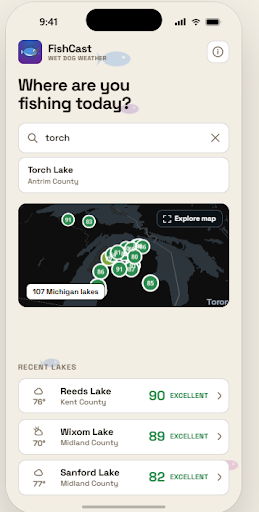
Image 1: New Feature in FishCast Community
Image 2: Presentation Opening Slide