Goal
- Begin working on RuffRide Passenger
Workflow
I finally began building the passenger side of my application this week: RuffRide Passenger. It was another successful week, and AI managed it well. My first step was to create a new project folder and direct Claude Code to it, as this seemed like the right approach instead of trying to create the version in the same folder as the iPad client. Much like I did when creating the iPad version, I directed Claude to the previous projects to gather the context needed to start the new build.
Once Claude had all the context I could give it, I began by asking it to make a very simplistic iOS app with 4 tabs. The first one is for the flight forecast, the main feature of this app. Track Flights is an interactive map tab where the user can track live flights by searching for a flight number. In the future, I plan to use Apple’s Live Activities feature so users can choose to see live flight status outside the app. The Book Flights tab allows users to enter their flying condition preferences, departure and arrival locations, and a date to find flights with the forecast that best matches them. Lastly, the delays tab has information about delays nationwide.
While I was prompting Claude to build those tabs, I made sure not to implement any weather or aviation data yet. I wanted a clean framework and a visual idea of what I was building. Once I was satisfied with that, I implemented NOAA’s GTG data and hooked up the FlightAware API. With these two datasets, I began testing the app’s basic features. Everything seemed to be working well; flight tracking and flight search worked.
For the actual comfort score, the app uses the GTG data up until 18 hours before a flight, since that’s as far as the model renders. I integrated WDW’s Terrier stack and directed Claude to derive a score past 18 hours using the GFS. It did this successfully, although I need to spend time verifying the outcome and how it calculates that score. FlightAware has historical flight data, including flight routes. Since flight routes don’t usually appear on FlightAware until the flight’s about to become live or in the air, the app will use historical routes to predict an upcoming flight’s route and forecast the score more accurately.
Next week, I plan on working on the scores some more to verify them. I’ll also begin working with Claude Design to do a complete UI and visual overhaul of the app.
Prompts Used
Many of my prompts this week included pointers to my other project files for context management. I also included screenshots of the running simulator for Claude to verify what it was doing.
What Worked
Using successful examples from my previous project folders continued to improve Claude’s performance. Reusing established patterns reduced the time and reasoning needed to solve problems I encountered earlier in the internship. As more projects are completed, Claude has become increasingly effective at working with the same types of weather data and implementing new features more efficiently.
What Didn’t Work
One ongoing challenge is accurately communicating the uncertainty of long-range turbulence forecasts. While short-term forecasts are generally reliable, confidence decreases significantly beyond a day or two. I still need to develop a clear way to present that uncertainty so users understand the limitations of longer-range forecasts without reducing confidence in the application.
Lessons Learned
Documenting what worked and what didn’t through automated MD files written by Claude in the early phases of this internship has saved a lot of time in making new versions like RuffRide Passenger. That said, I’m continuing to do that and will definitely use these projects as context for other things I create with Claude in the future.
Images/Video
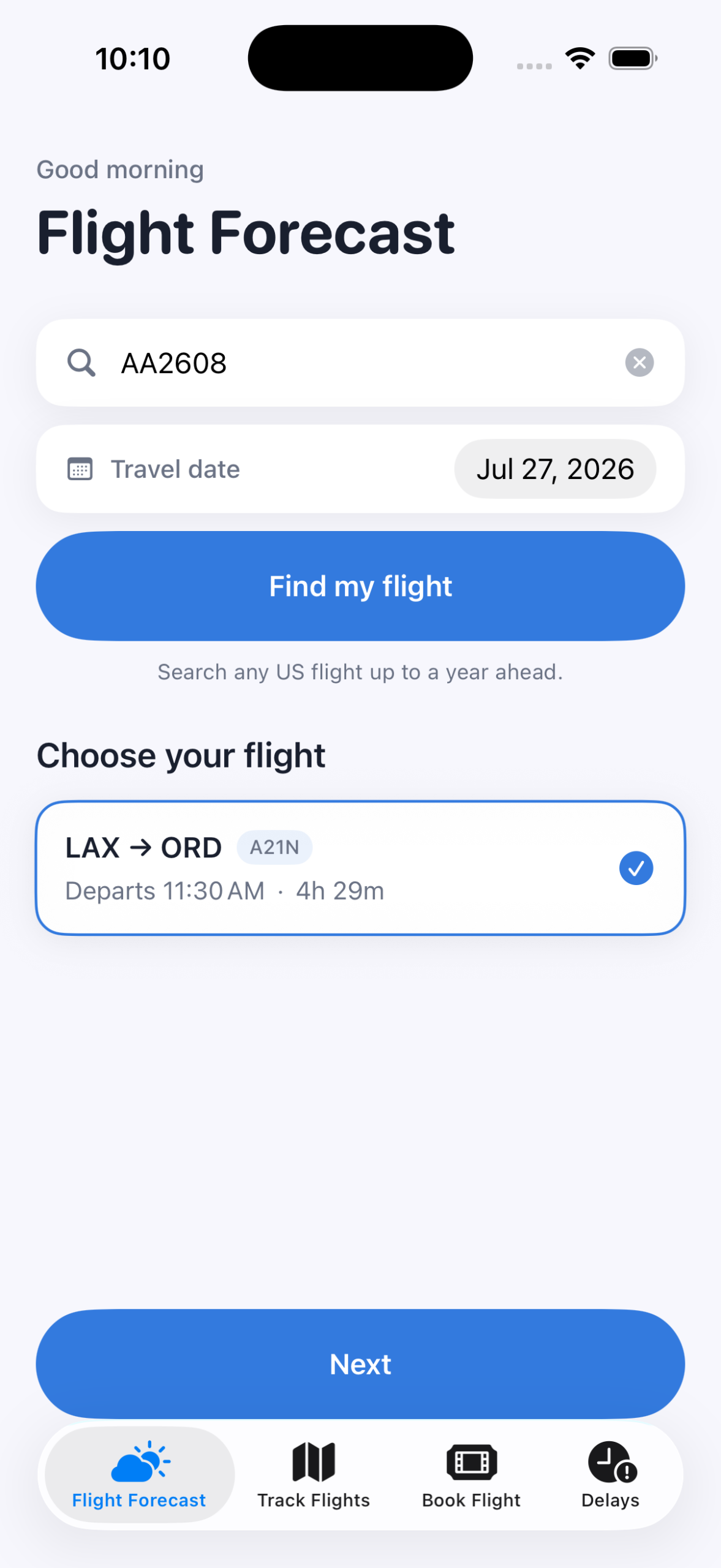
Image 1: Flight Forecast
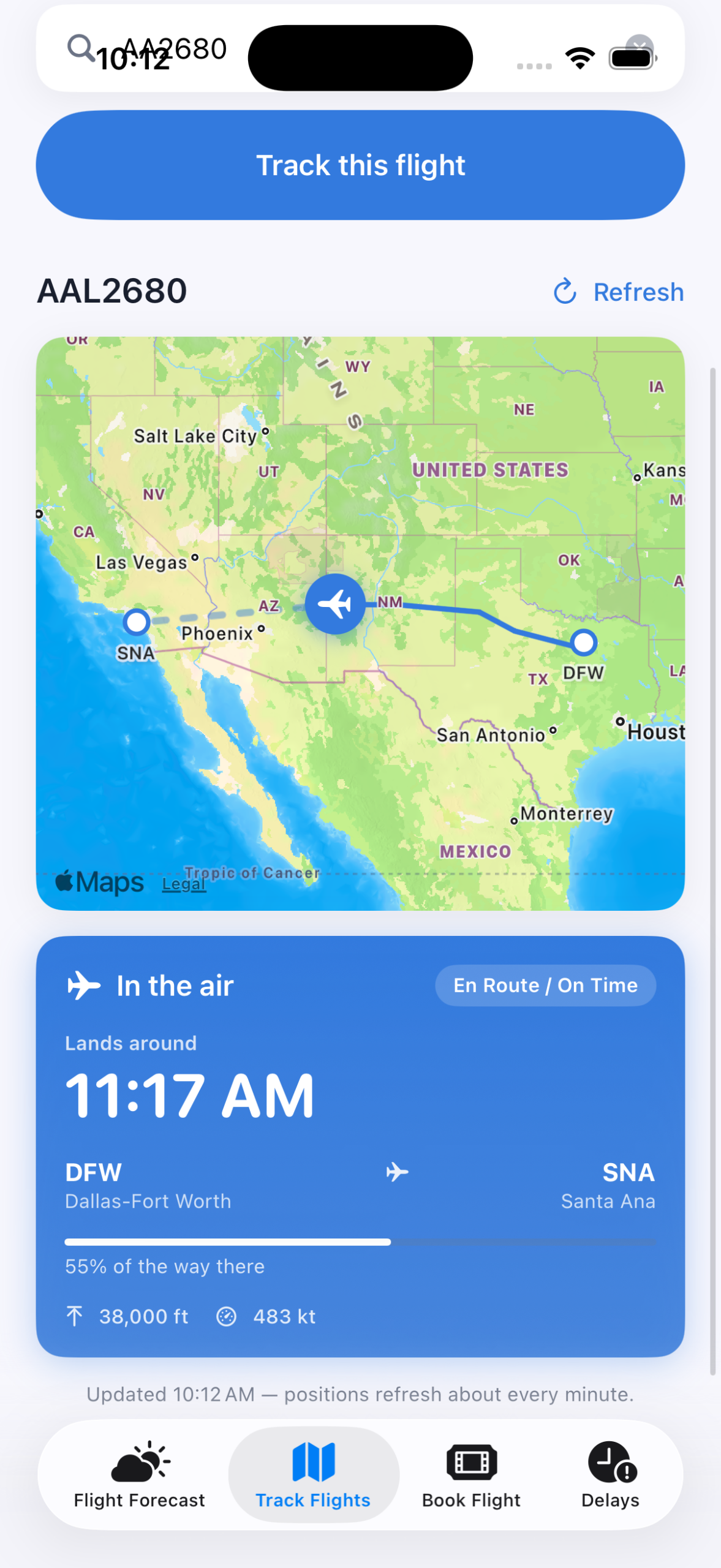
Image 2: Flight Tracker
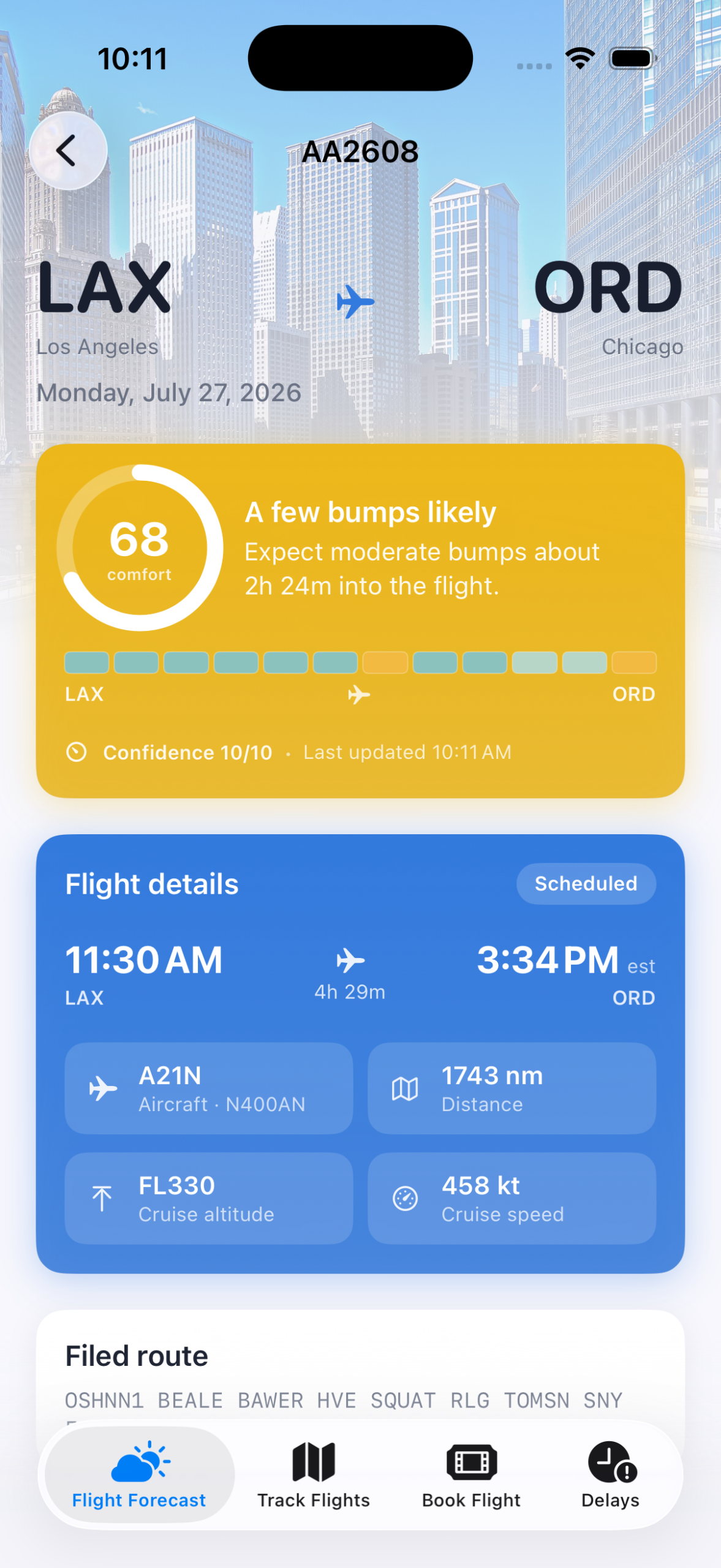
Image 3: Bad Turbulence

Image 4: Low Turbulence
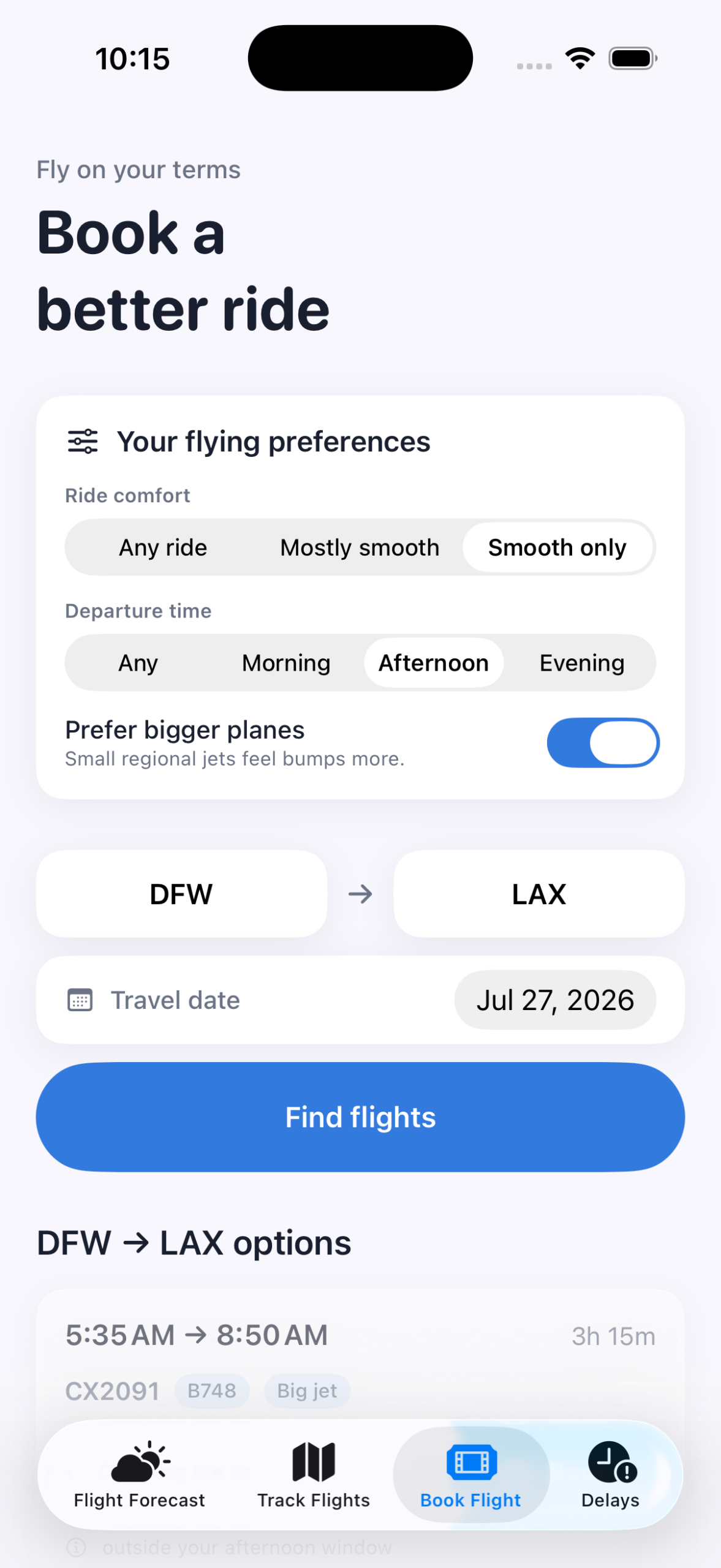
Image 5: Book A Better Ride
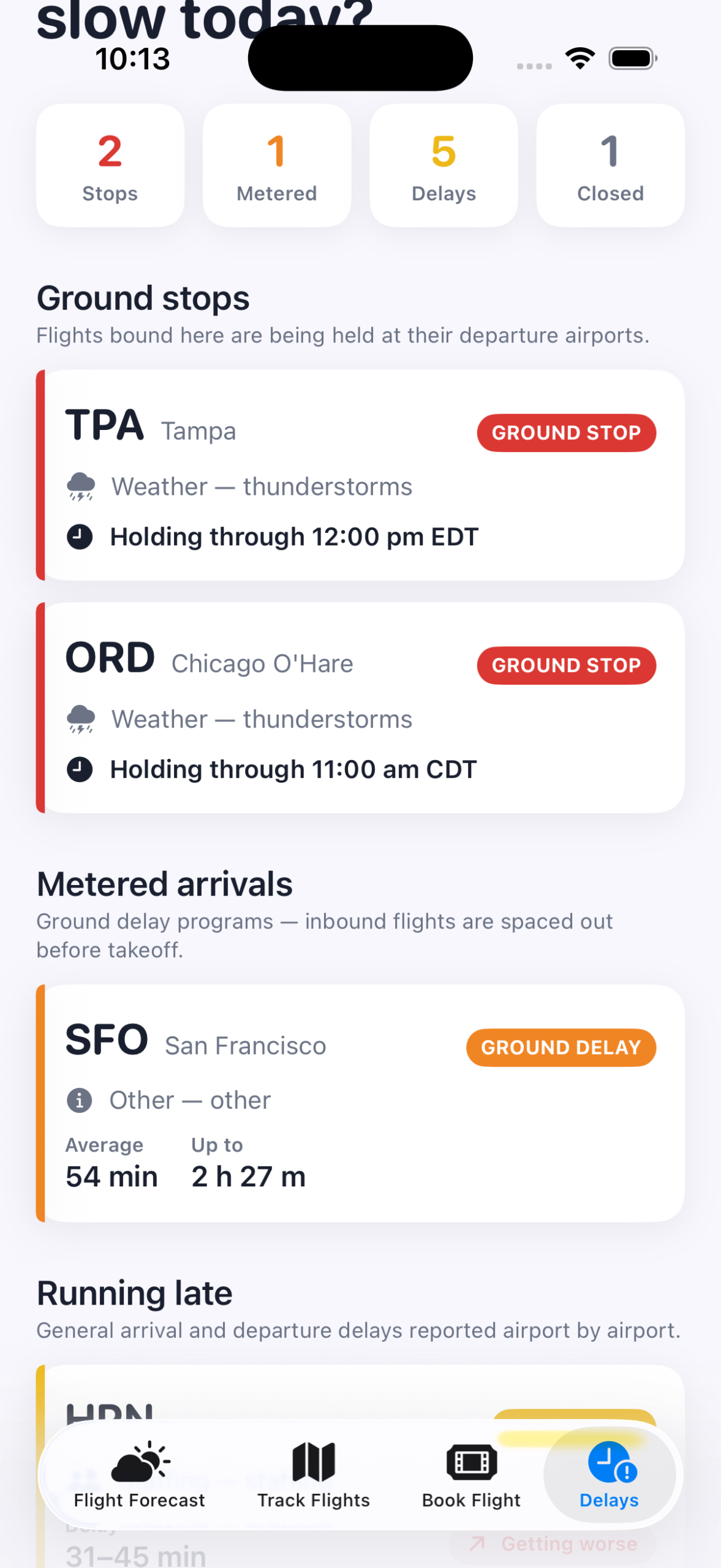
Image 6: Ground Stops