Goal
- Create the initial version of the dashboard
- Work with data before UI implementation
- Brainstorm new layers
Workflow
With fresh ideas from last week, I got straight to work on my new dashboard. I have reached a final decision, and I’m going to create 2 dashboards under the same theme: flying conditions. The first dashboard I’m going to work on is designed for pilots and aviation enthusiasts and will contain detailed, specific data. The main goal with this first dashboard is to create a tool pilots rely on for every flight, in theory.
The second dashboard will be a much simpler, more user-friendly version, with the target audience being anxious flyers or people who don’t need to see all the data and would rather have a simple scale from 1-10 to rate discomfort on the flight, for example. I’ll begin working on this later, once I have all my data sorted.
I was going back and forth on where to start with this dashboard, whether I was going to focus on the design first or the core basics. I planned to do the UI first with the help of Claude Design, but decided to start with the usual Claude Code building process. I shared my ideas and vision with it, and it got to work. One neat thing I noticed is that it referenced my SkyGrade dashboard project folder to determine how it was retrieving the Terrier data. It used this information along with all the MD documents to recreate the same basic structure for the new dashboard.
The dashboard’s current visual state is bland, but Terrier data is loading successfully. I was curious about what other dashboards in this field looked like, so I did a quick Google search. After some browsing, I tried using Google’s built-in AI to find additional free data sources, and it gave me a good list. I decided on the best choice, and after some thought, Claude Code implemented it.
This leaves me in a good spot to start integrating WDW products in the coming weeks, so I can add new layers and begin polishing this version of the dashboard. Attached to this post are some images of the initial version of this dashboard. Overall, I feel like this week was productive!
Prompts Used
Prompting this week was as usual with Claude Code, but here’s the prompt I used with Google: I’m building a weather/aviation visual dashboard and need some free datasets I can use to show turbulence and other related parameters across the US”
What Worked
As I mentioned above, Claude Code referenced the folder and documentation from my last project to quickly recreate the structure and method for pulling Terrier data. This not only saved time but also saved a ton of tokens on thinking.
What Didn’t Work
As I keep working with Claude Code, I’m increasingly noticing that I want to nudge or steer the AI in a certain direction while it’s working. As far as I’m aware, this feature is not available on Claude Code. I know it’s a thing with Codex, so I may consider using Codex for the passenger side of the product.
Lessons Learned
I’m going to use Google’s AI-integrated search feature more often for general research and browsing on this project. I found it useful and realized that it could’ve been helpful for some parts of my SkyGrade dashboard.
Images/Video
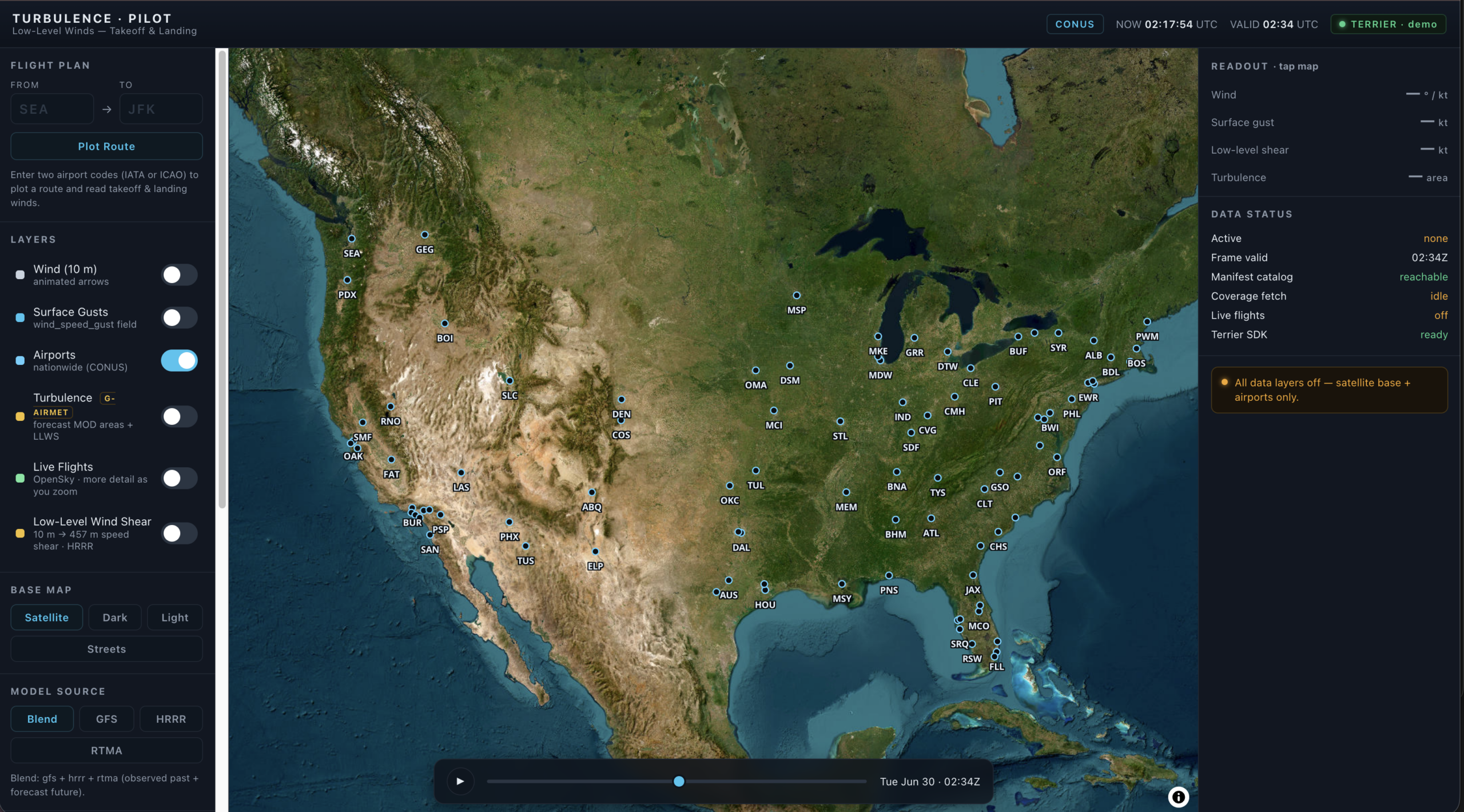
Image 1 (Click to enlarge)
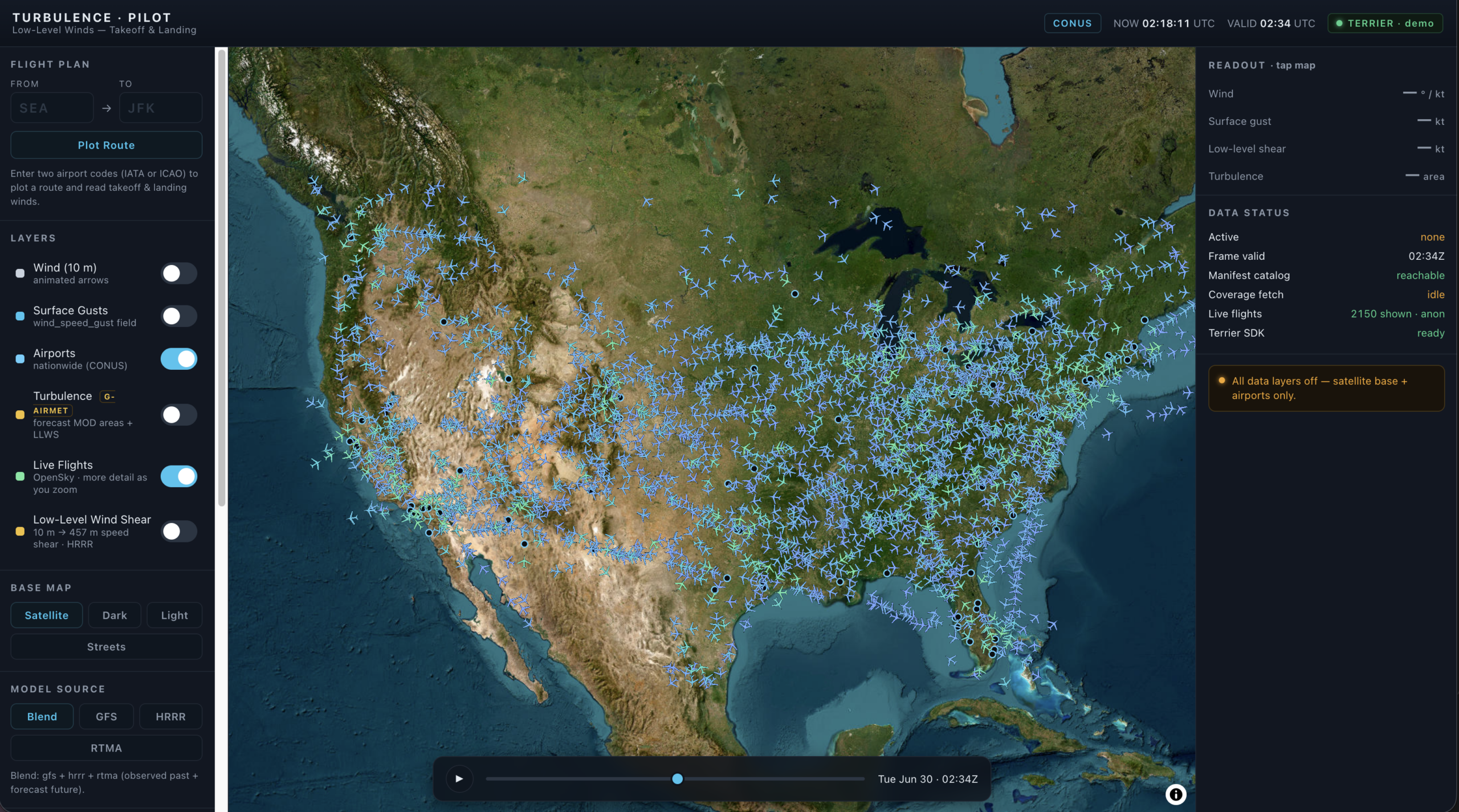
Image 2 (Click to enlarge)
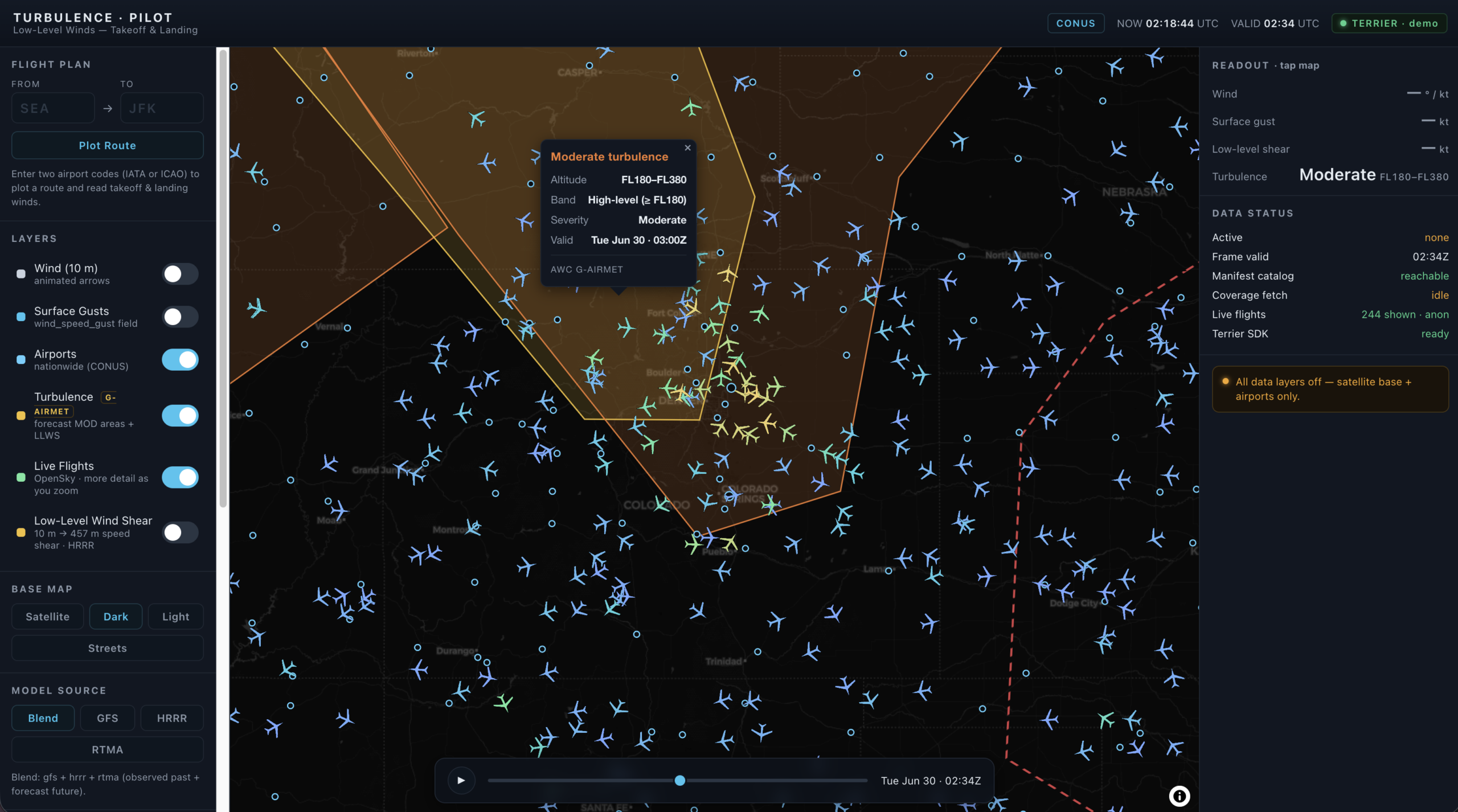
Image 3 (Click to enlarge)
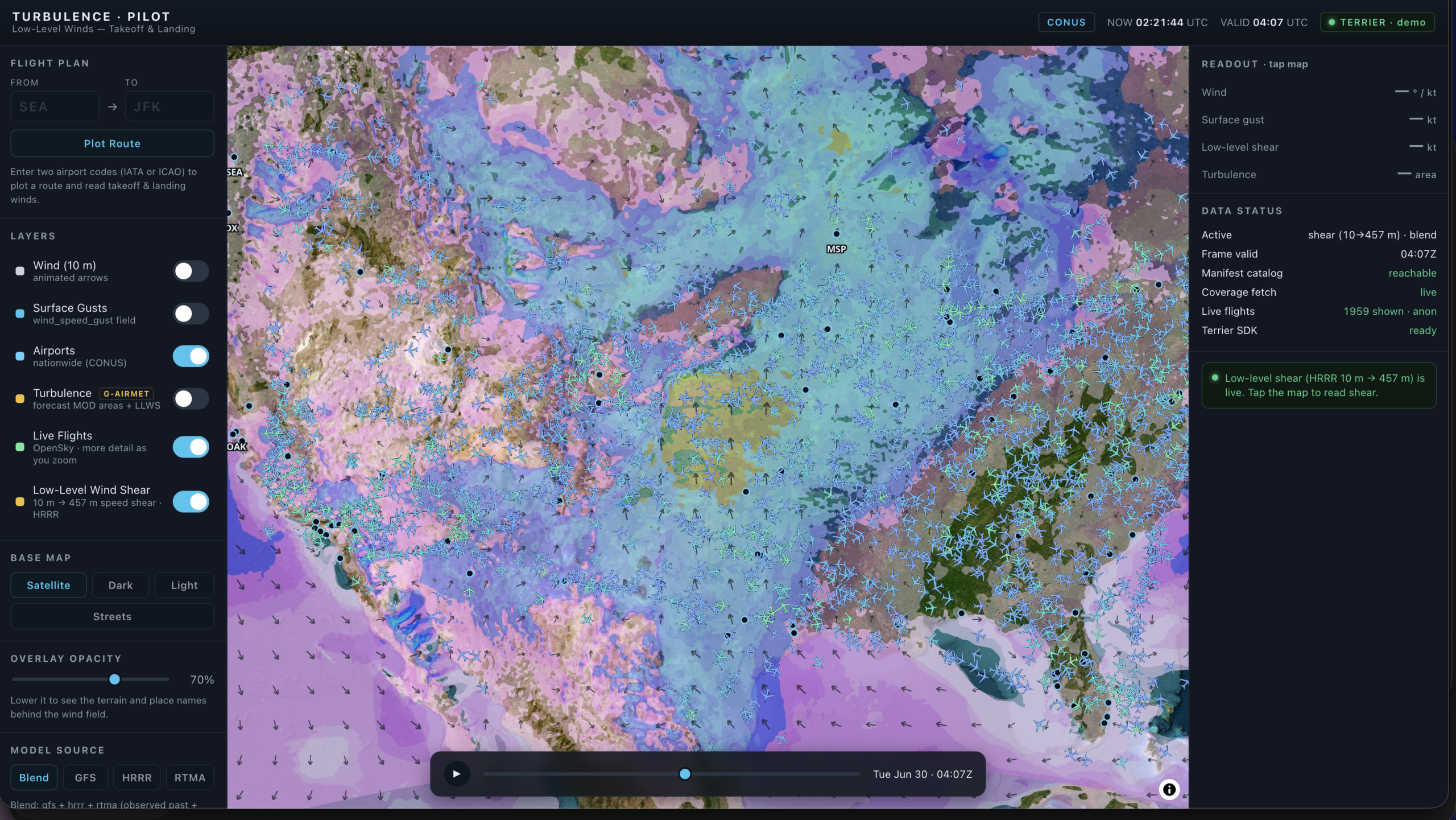
Image 4 (Click to enlarge)
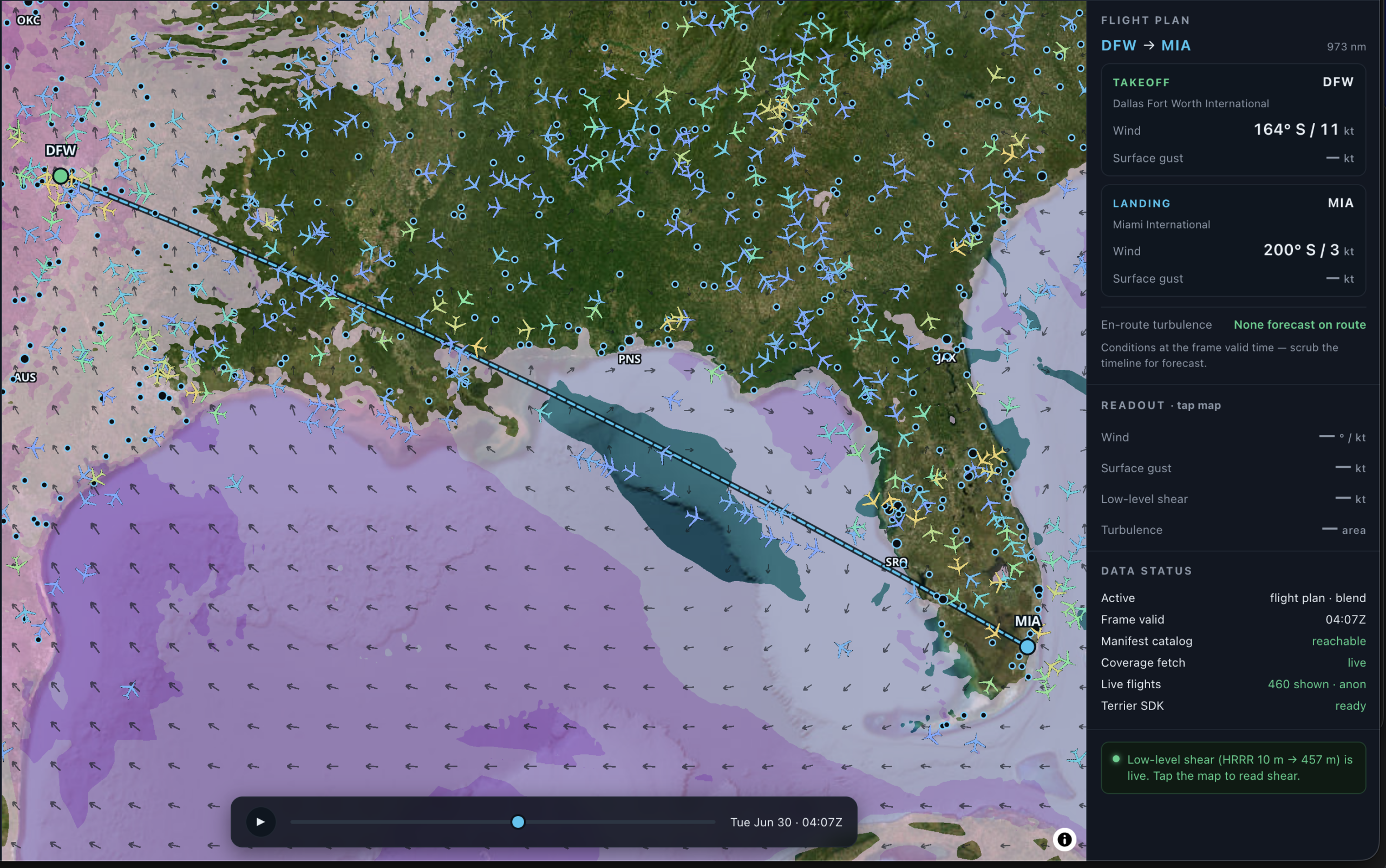
Image 5 (Click to enlarge)