One of the easiest ways to change how data looks is by changing how it’s interpolated. The underlying data remains the same, but the method used to sample and display it can dramatically affect what users see on screen. In this update, we’re adding a new weather data interpolation option to Terrier—bicubic interpolation—and making Terrier easier to integrate into modern web applications with a new npm package.
Bicubic Weather Data Interpolation
Deciding what color a pixel will be in our display is more complicated than you might think. One of those decisions is how to sample the input data. We provide a few options.
The first is nearest neighbor. It reflects what the data actually says, more or less. which is ‘we measured this value at this location.’ Here’s radar reflectivity.
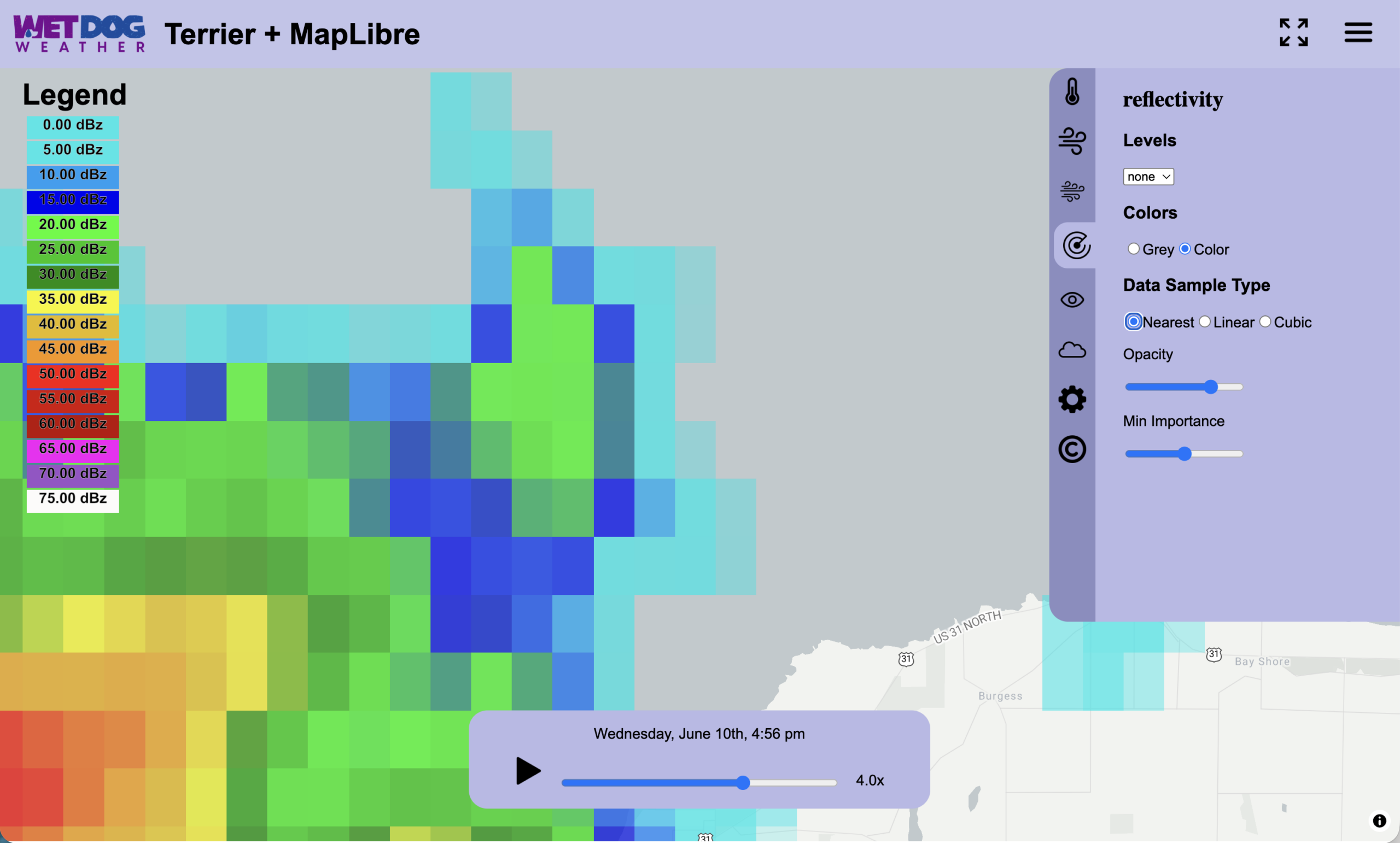
The most accurate solution is also the most boring, so we offer other options as well, such as bilinear interpolation.
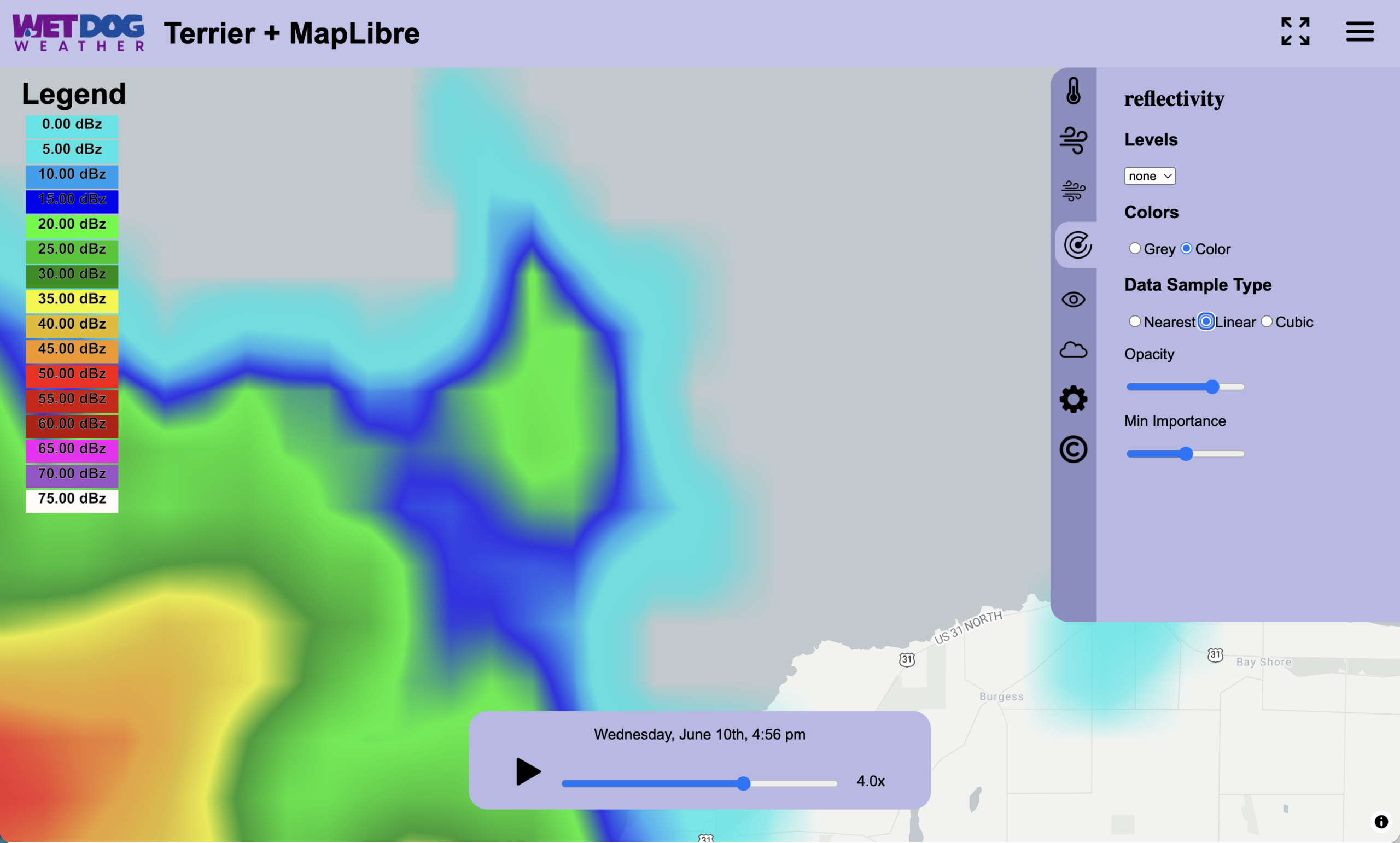
That’s a fancy way of saying we just calculate the value using the four nearest values. It works okay, but… there’s something a little off here. You get some odd lines running across the screen as you zoom in.
There’s a better way to do this, at least visually, and that’s bicubic interpolation. For many radar displays, this type of weather data interpolation produces a smoother image and eliminates many artifacts that become noticeable when zooming in.
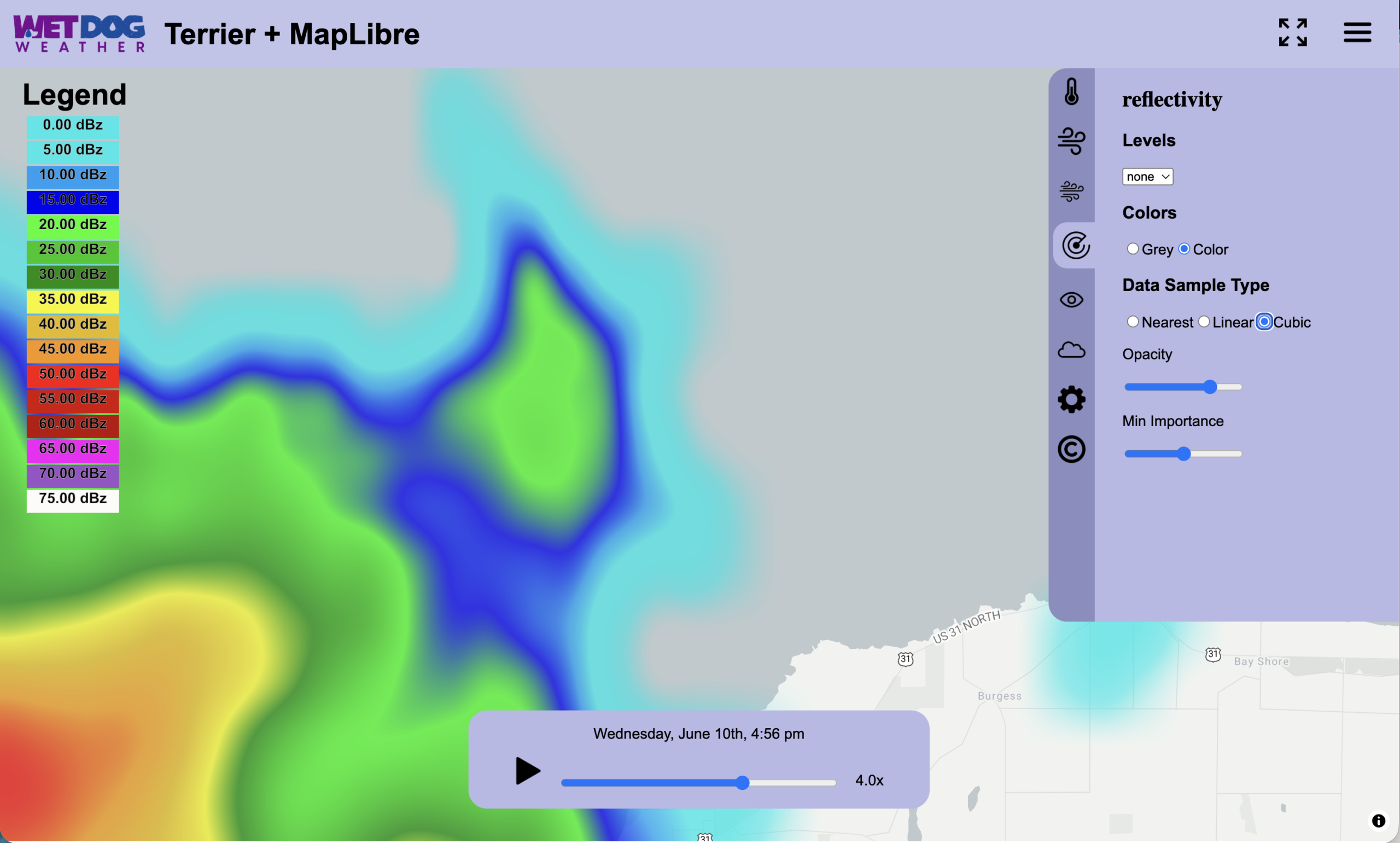
Now that’s pretty! And it’s also what most radar users like. The public expects its radar data to be pleasantly blended.
Weather Data Interpolation in Terrier
But that’s not a battle we need to fight! If you want your data in its most correct form, we have an option for that (nearest). You want pretty, we can do that (bicubic).
You specify this in the layer creation call. There’s a parameter called ‘interpMode’ which can be set to ‘nearest’, ‘linear’, or ‘cubic’.
let tempLayer = ovl.startLayer('temperature', {
        opacity: 0.5,
        interpMode: 'cubic'
    })
After layer creation, you can call setInterpMode() with the same argument to change it on the fly. It’s a part of the WebGL shaders, so there’s no cost to switching.
Npm Package
We now have an npm package for Terrier!
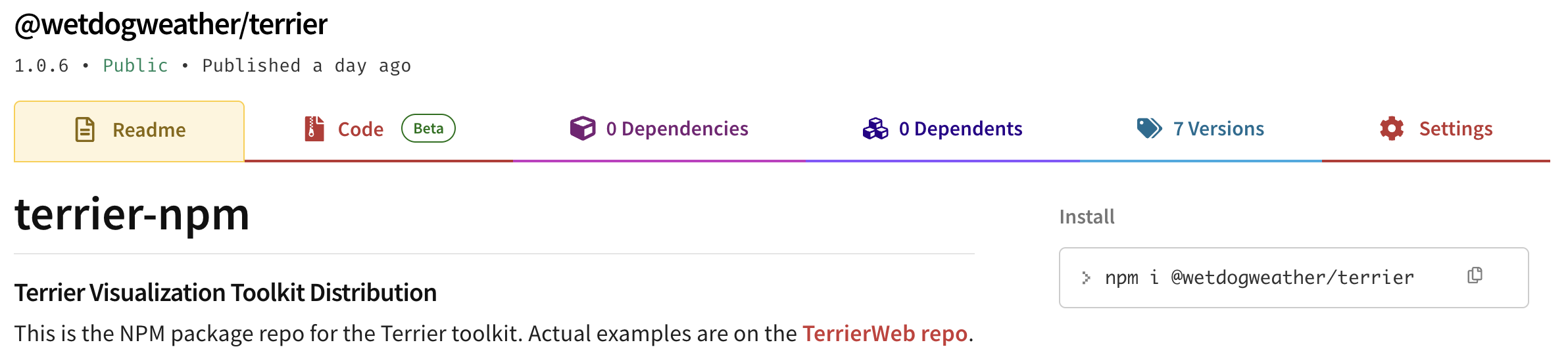
We’d tell you how to use it, but that’s the point of npm! You can just use it!
Well, okay, we do have some examples in our TerrierWeb repo.
There’s some WebAssembly and JavaScript in that package that’s loaded directly in terrier.js. So if your packager gets confused, copy the contents of the public/ directory directly into your output.
But generally, it will just work.
More Options, Easier Integration
Whether you’re looking for the most accurate representation of your data or a smoother, more familiar radar display, Terrier now gives you more control over weather data interpolation. With support for nearest-neighbor, linear, and cubic interpolation modes, you can choose the approach that best fits your application and your users’ expectations.
The new npm package also makes it easier to bring Terrier into modern web development workflows. Between additional interpolation options and simpler deployment, this release gives developers more flexibility when building weather visualizations with Terrier.