Previous Posts
Goal
- Brainstorm and design UI concept images using AI tools such as Claude Design, ChatGPT images, or other specific AI tools.
- Begin implementing the desired UI and continue refining it with Claude Code and, if applicable, Codex.
- Add full functionality, specific niche features, and fine-tune my final product.
- Record a short demo video showcasing my product and its functionalities.
Workflow
This week began much like last week. I took my goals and ideas into a conversation with ChatGPT to get insight and inspiration, and then started working from where I left off last week, still using Claude Code. I made some minor UI tweaks and some polishing to get it ready for full UI and functionality implementation. One tweak was to add a satellite basemap, which looked better than what I had. Image 1 shows the dashboard’s current state.
From there, I went to Claude Design. I haven’t experimented much with Claude Design before, but I’ve seen its capabilities and knew it would be useful for this experiment. I gave it a prompt with my dashboard ideas, along with screenshots and links to various smoke-and-fire dashboards found online. It takes longer to work than a typical conversational LLM and consumes far more tokens, but I found the outputs useful. Images 2 and 3 show some of the various generated concept images.
With a chosen UI concept, I went back to Claude Code and fed the model the visual references and tweaks I had, and it got to work. The AI did a good job of initially deploying the UI concept images, although it took some time. After some back-and-forth tweaks, images 4 and 5 show the state of my product at that moment. I kept fiddling around with the UI, asking Claude to “make this bigger” or “I don’t like the current view of this. Change the background color”, etc.
Once I was satisfied with the design, I began implementing my main feature: a sunset score. ChatGPT generated this idea, and Claude Code then verified its feasibility after reviewing my code. The way the score is set up is a calculation based on 5 parameters:
- High Cloud Cover Percentage
- Mid Cloud Cover Percentage
- Low Cloud Cover Percentage
- Smoke Aloft
- Surface Smoke/Haze
Claude Code had no issues implementing the sunset score feature. It took some time to complete, but once it was done, it returned a distinct score for any location I tested. I want to take this one step further: if I can calculate a sunset score for each point on the map, can I create a raster layer of sunset scores, like temperature or dew point?
I gave Claude Code my idea; it verified that it could do it, and then it started working. The first few iterations were successful, but the color grading was a little off. Eventually, I got a decent result. Image 6 shows the successful nationwide rendering of derived sunset scores. I inquired with Claude Code about increasing the resolution and learned that it could not be raised further with the given Terrier data. Still, they suggested a fix that would drastically smooth the layer using interpolation. Image 7 shares the result of this fix.
As of this point, the main goal of this two-week project is complete: make a simple smoke/AQI-related dashboard using the Terrier stack and artificial intelligence, and I can say I’m impressed. There were a few issues during the beginning of the process, but once I got Terrier properly cloned and initialized, it was very straightforward. I then started having some “fun” with the dashboard, UI design, and different functionalities. This was mostly back-and-forth with Claude Code, implementing small color changes, new infographic cards, and even additional layers. There’s a short demo video at the end of this post showcasing the final product. While it’s not consumer-ready and still needs additional work, I’m happy with what I’ve put together. As the summer goes on, I look forward to working with more WDW products and AI to see just how far I can go.
Prompts Used
The prompting process went a little differently this week compared to last week. The first half of this project, the Terrier cloning and initialization, involved a fairly specific setup process. As someone who doesn’t specialize in computer science, I needed AI to perform these steps correctly. This required specific prompting, with assistance from ChatGPT in generating prompts. This week focused mainly on adding new features and UI design. Instead of providing long AI-generated prompts, I used a more conversational workflow. I’d ask Claude to “make this bigger”, “change the font”, etc. Additionally, I gave Claude a ton of visual references I found online or that Claude Design created for me.
What Worked
- Claude Code is good at implementing specific UI changes, especially when provided with detailed visual references.
- Claude Code was also very good at reviewing my code, specifically the Terrier package, to verify whether some of my ideas were feasible. I used this pro multiple times this week, especially when creating the sunset-quality-score layer.
- It’s definitely possible to use AI and WDW products together!
What Didn’t Work
As I mentioned last week, some of the more powerful, high-level models tend to assume things and can overbuild or overcomplicate simple tasks. There are 2 main areas where this can be potentially harmful:
-
-
- Token Usage – Some UI or visual design requests can take multiple iterations and messages with the AI to achieve the desired outcome. If not careful and specific with instructions, token usage can add up over time and cause you to hit your limits earlier.
- Messy Code – With how advanced these AI tools are getting, it’s pretty easy just to let the LLM do all the coding for you. This can lead to optimization issues and tough debugging sessions down the road.
-
Lessons Learned
- Staying organized throughout the entire project by naming LLM conversations accordingly, having proper documentation techniques, and being specific with the AI
- You can give Claude specific project-wide instructions that get stored in an MD file in the project folder. For every request I give Claude, it first reads this instruction document before getting to work. If utilized correctly, this can eliminate wasted tokens and improve efficiency.
Images/Video
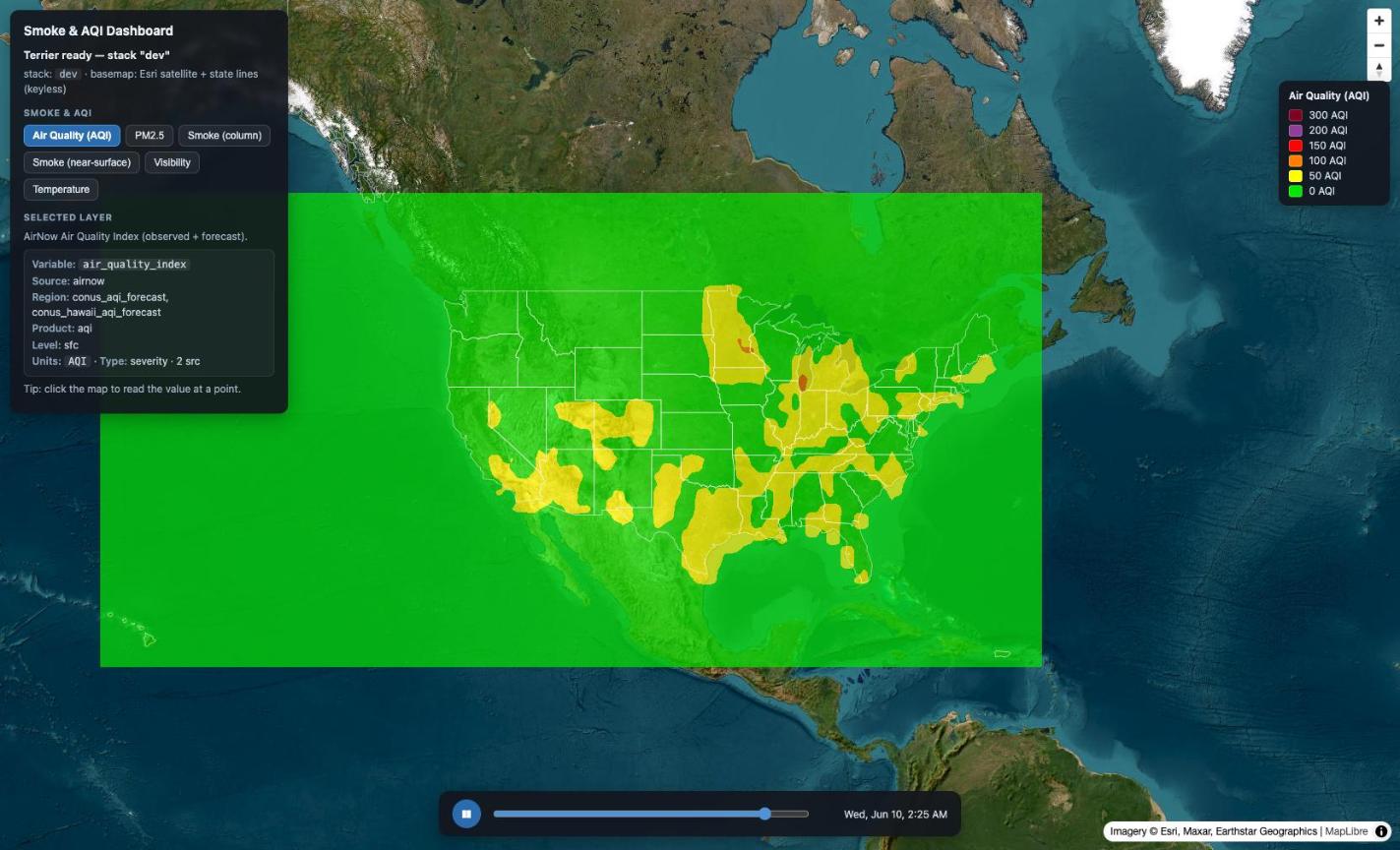
Image 1 (Click to enlarge)
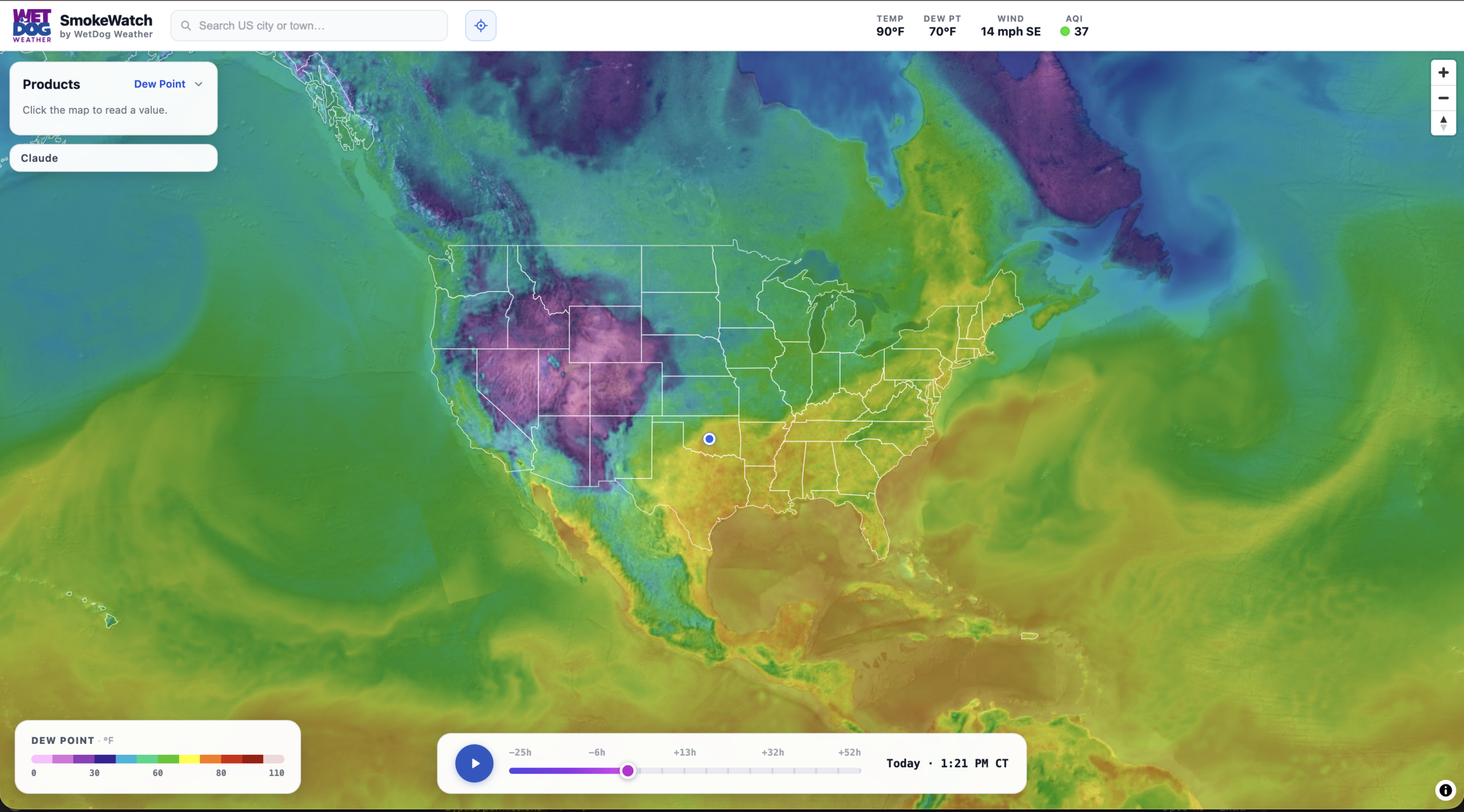
Image 4 (Click to enlarge)
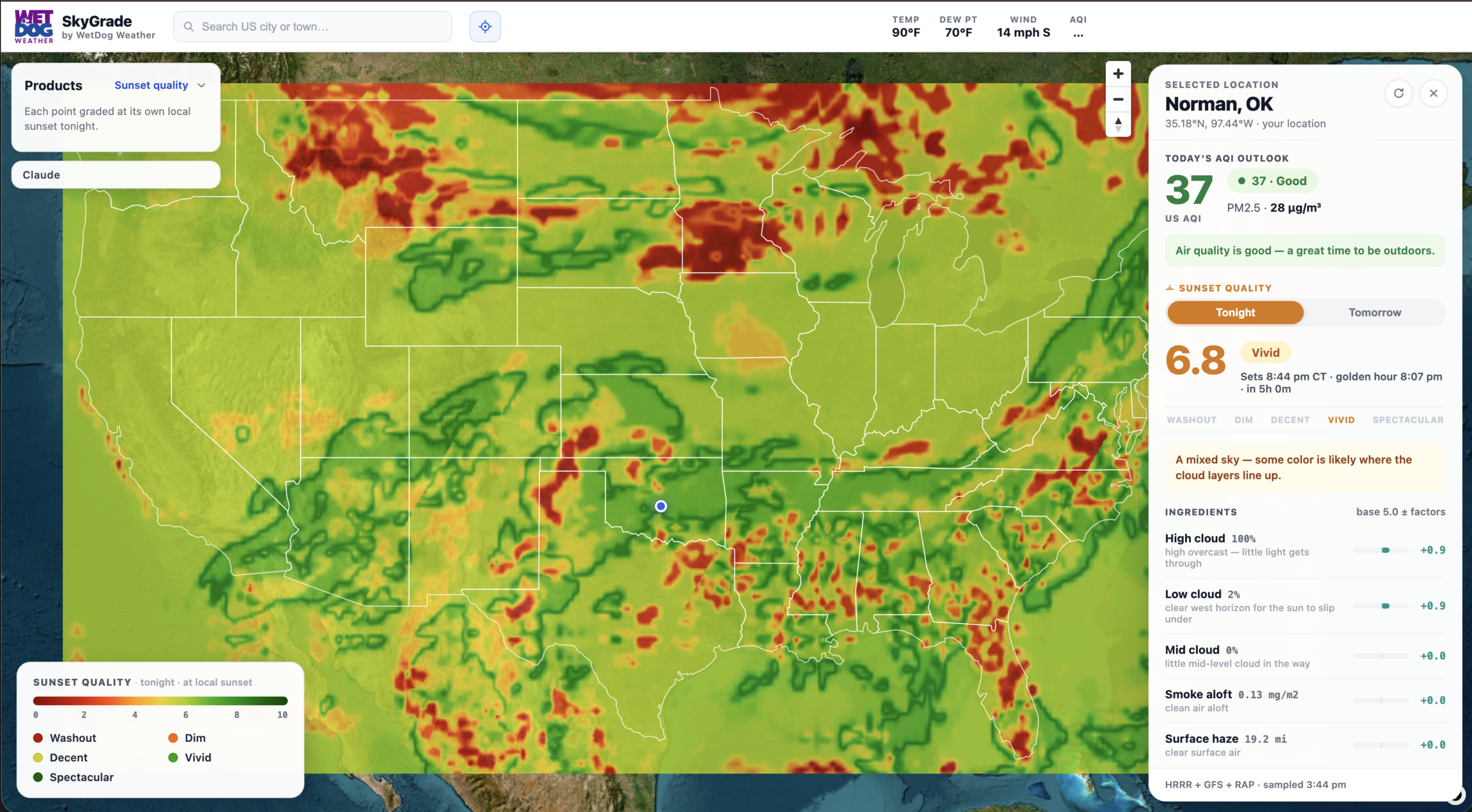
Image 7 (Click to enlarge)
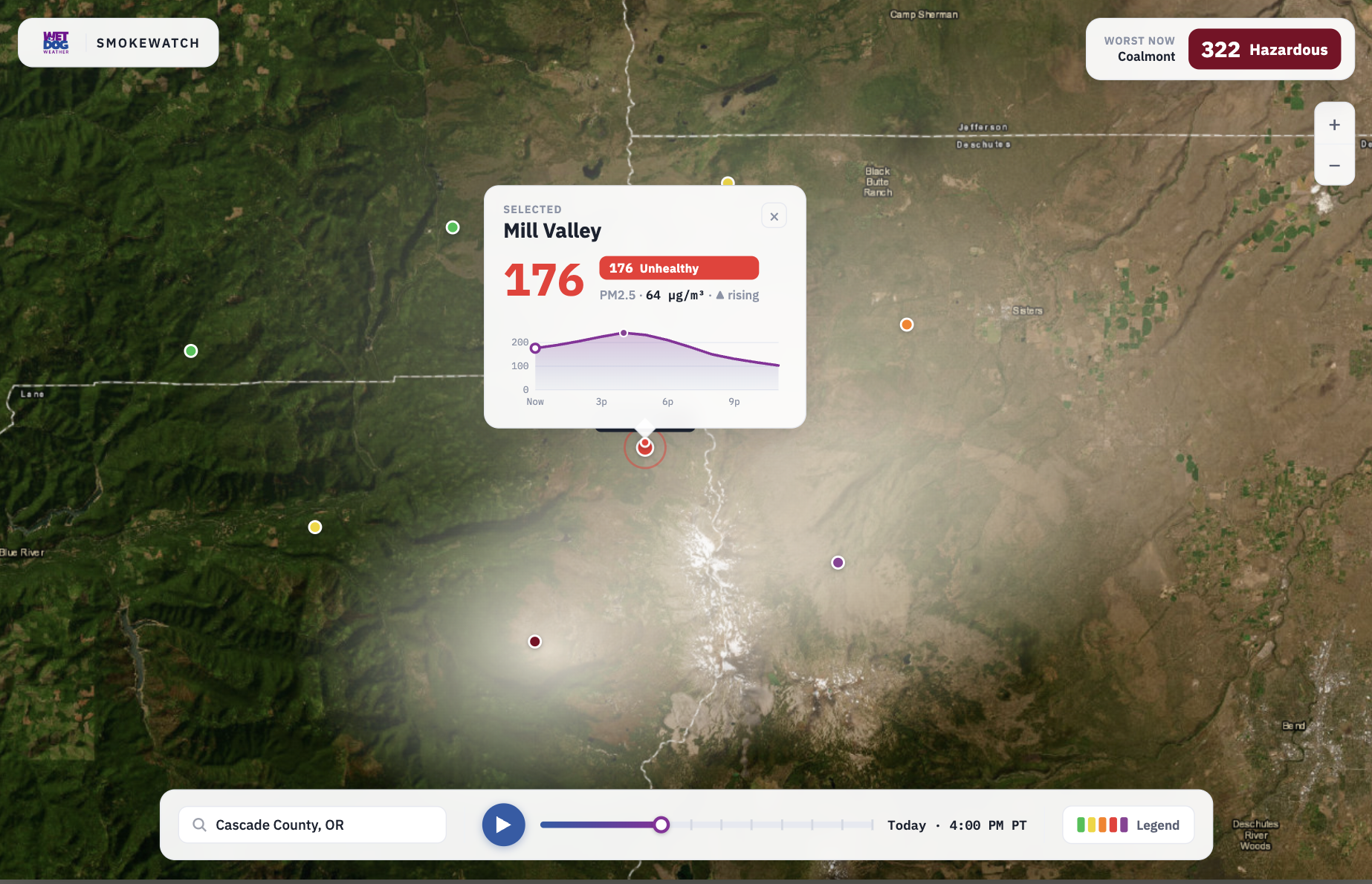
Image 2 (Click to enlarge)
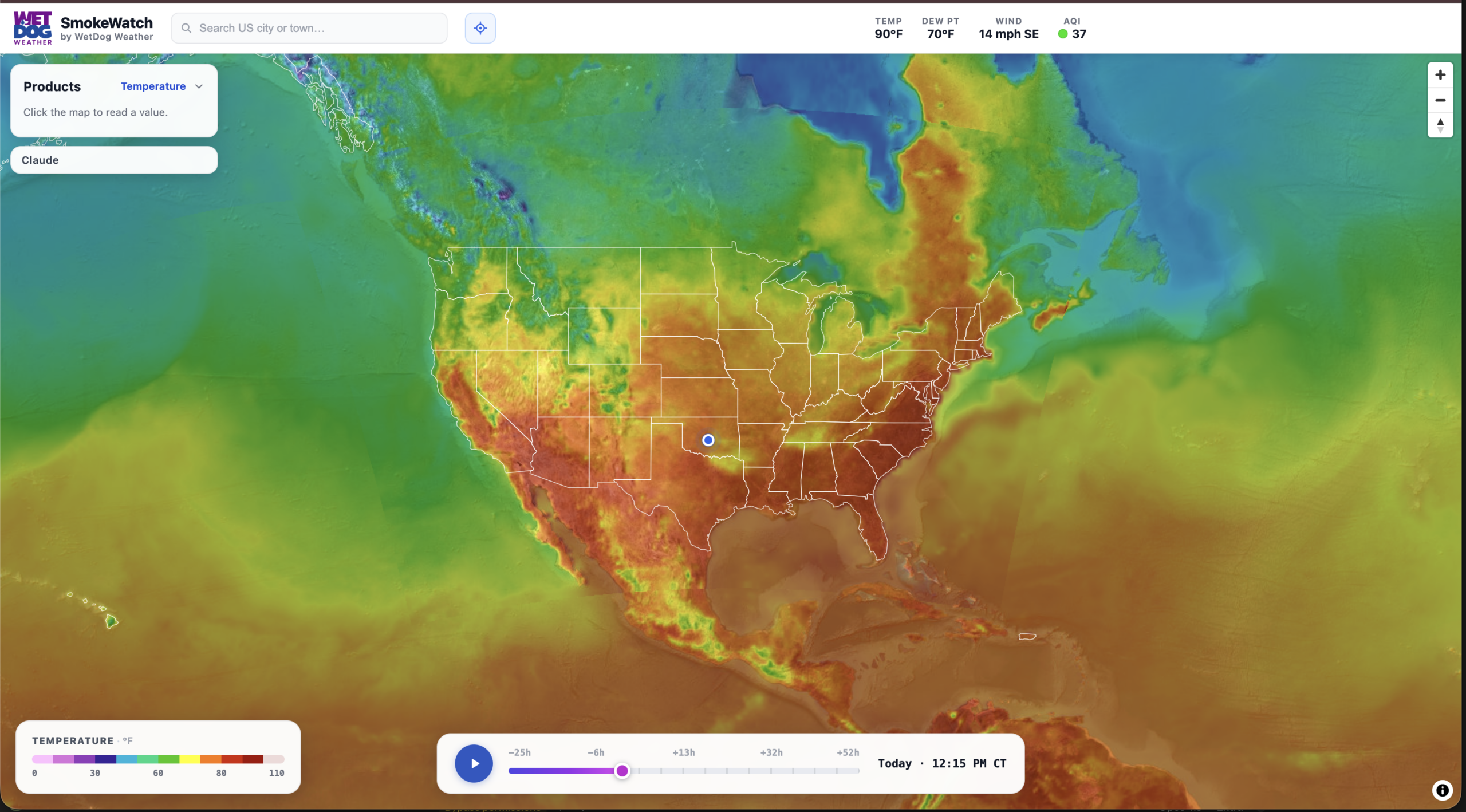
Image 5 (Click to enlarge)
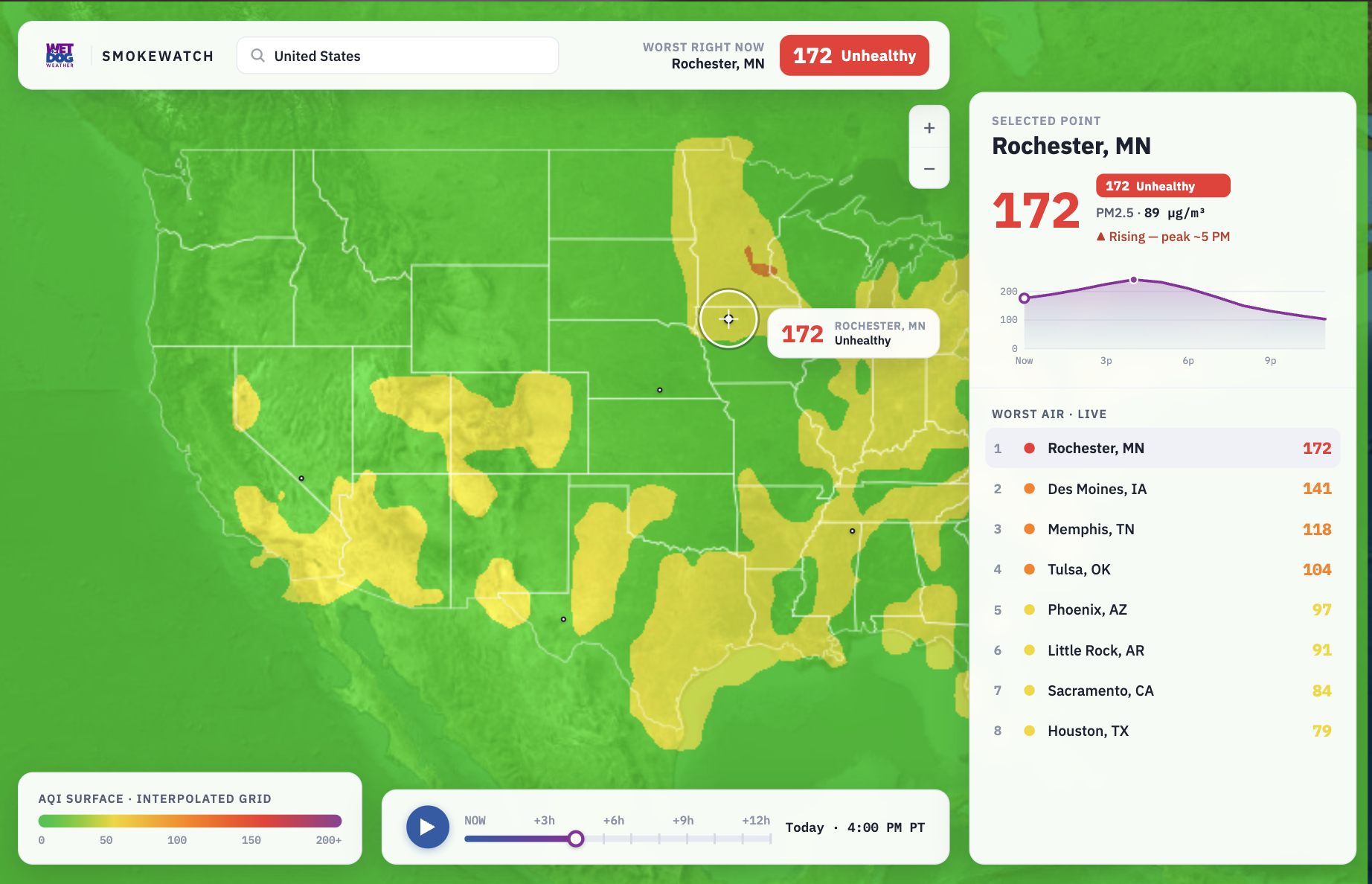
Image 3 (Click to enlarge)
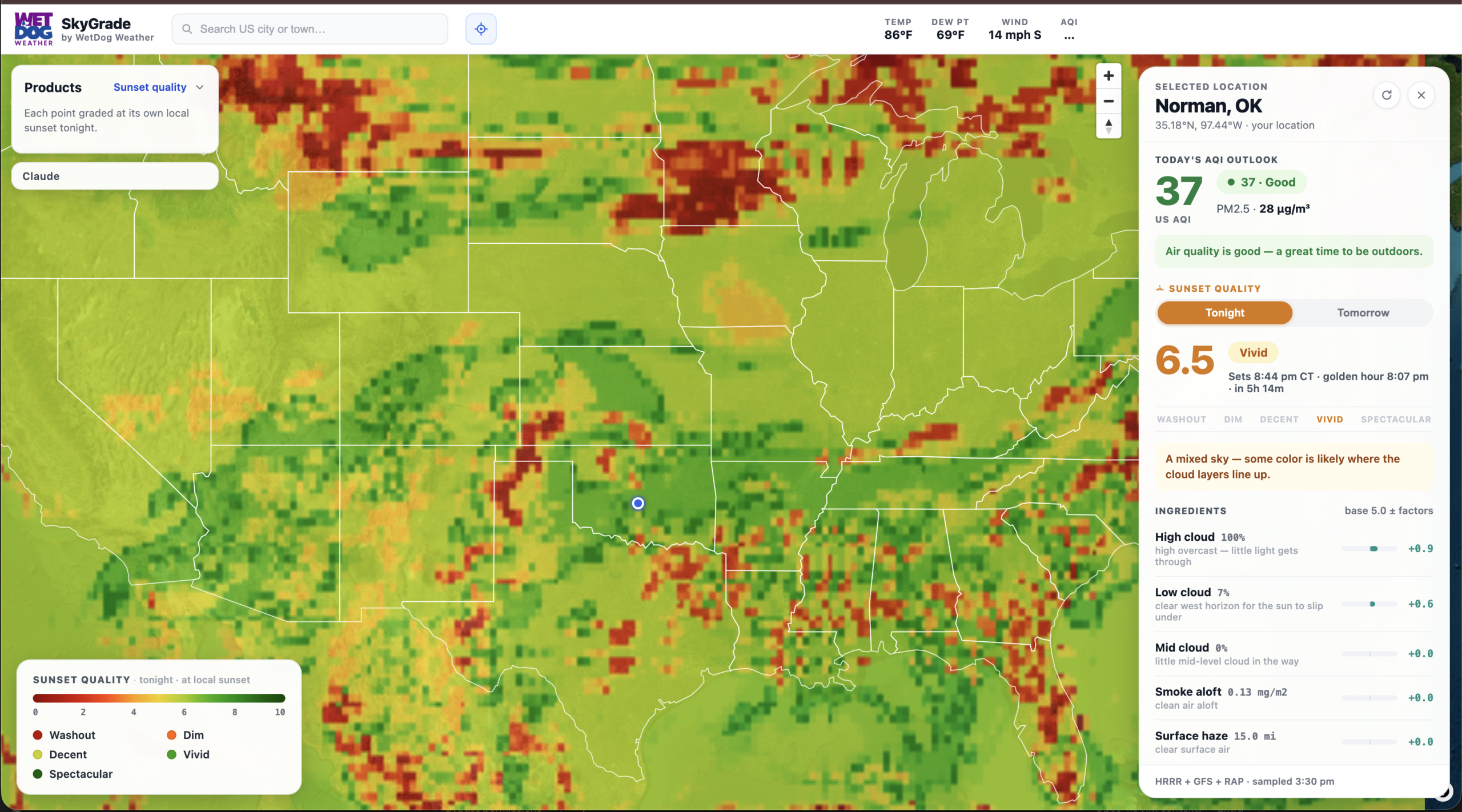
Image 6 (Click to enlarge)