Goal
Create an Air Quality Visualization service that displays information in a way unique to a given demographic. I chose outdoor workers.
Workflow
I first began using the AI tool Figma to generate design ideas and determine how many features to include, while also trying to mitigate visual overstimulation.
Prompts Used
PROMPT 1: “Create a dashboard with the contiguous United States from ArcGIS to display live air quality data and watch/warnings issues using Wet Dog Weather’s Terrier service.” I then added links to where the data was available.
Additional Inputs (not including debugging):
-
- Are animated features available for this data? If so, list them and show an example of how they can be used.
- Structure this dashboard around use by outdoor workers (ie, Construction, Agriculture, Event Staff). Identify a threshold based on OSHA guidelines (see http://www.osha.gov/indoor-air-quality), dependent on the type of work, duration, and intensity.
What Worked
When creating dashboards with AI tools, it’s easy to add many features, which can be overwhelming for users. By combining a design-focused AI tool (Figma) and a coding-focused tool (Codex), I found a good middle ground.
What Didn’t Work
It took me many attempts to properly integrate the Terrier smoke layer. To finally get it to work, I had to add a test function that, by chatting with the AI tool, let me request a given output and know whether it was truly working based on the number I received. This helped me mitigate the appeasing/hallucinatory behavior of many AI tools. Instead of receiving a “You’re so right! This is wrong. I did what you said, and it should work now” response that doesn’t fix the problem, I could enter the changes I wanted made and verify that I was getting the correct output.
Lessons Learned
One of the biggest lessons I learned was that adding features is often easier than deciding which features to include. AI tools can generate functionality quickly, but without a clear design plan, a dashboard can become cluttered and difficult to use. Using Figma alongside Codex helped me balance visual design and technical implementation, resulting in a cleaner and more user-friendly interface.
I also learned the importance of verifying AI-generated code rather than assuming suggested fixes are correct. When integrating the Terrier smoke layer, I repeatedly encountered situations in which the AI reported the issue as fixed even though the underlying problem persisted. Creating a test function that produced measurable outputs gave me a reliable way to confirm whether changes were actually working. This experience reinforced the value of building simple validation tools and using objective testing to troubleshoot AI-assisted development.
Images/Video
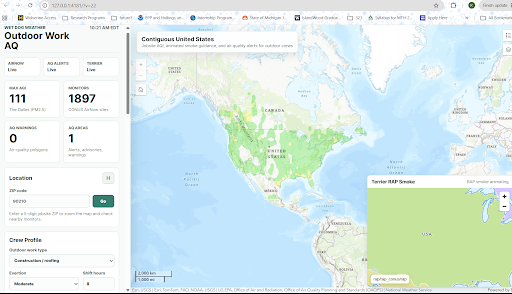
Image 1 (Click to enlarge)
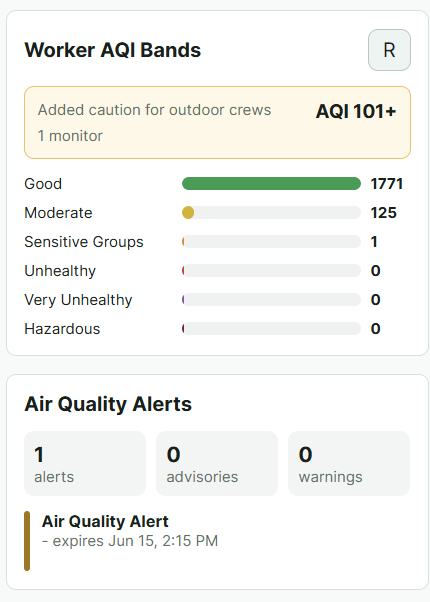
Image 2 (Click to enlarge)
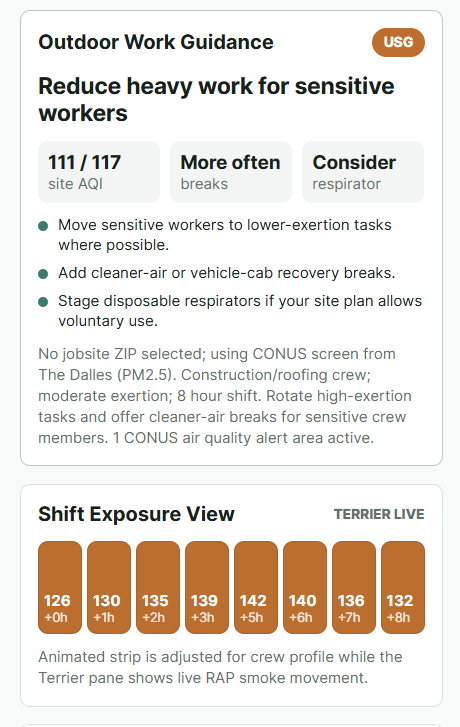
Image 3 (Click to enlarge)